Which Sonos Soundbar is right for me?
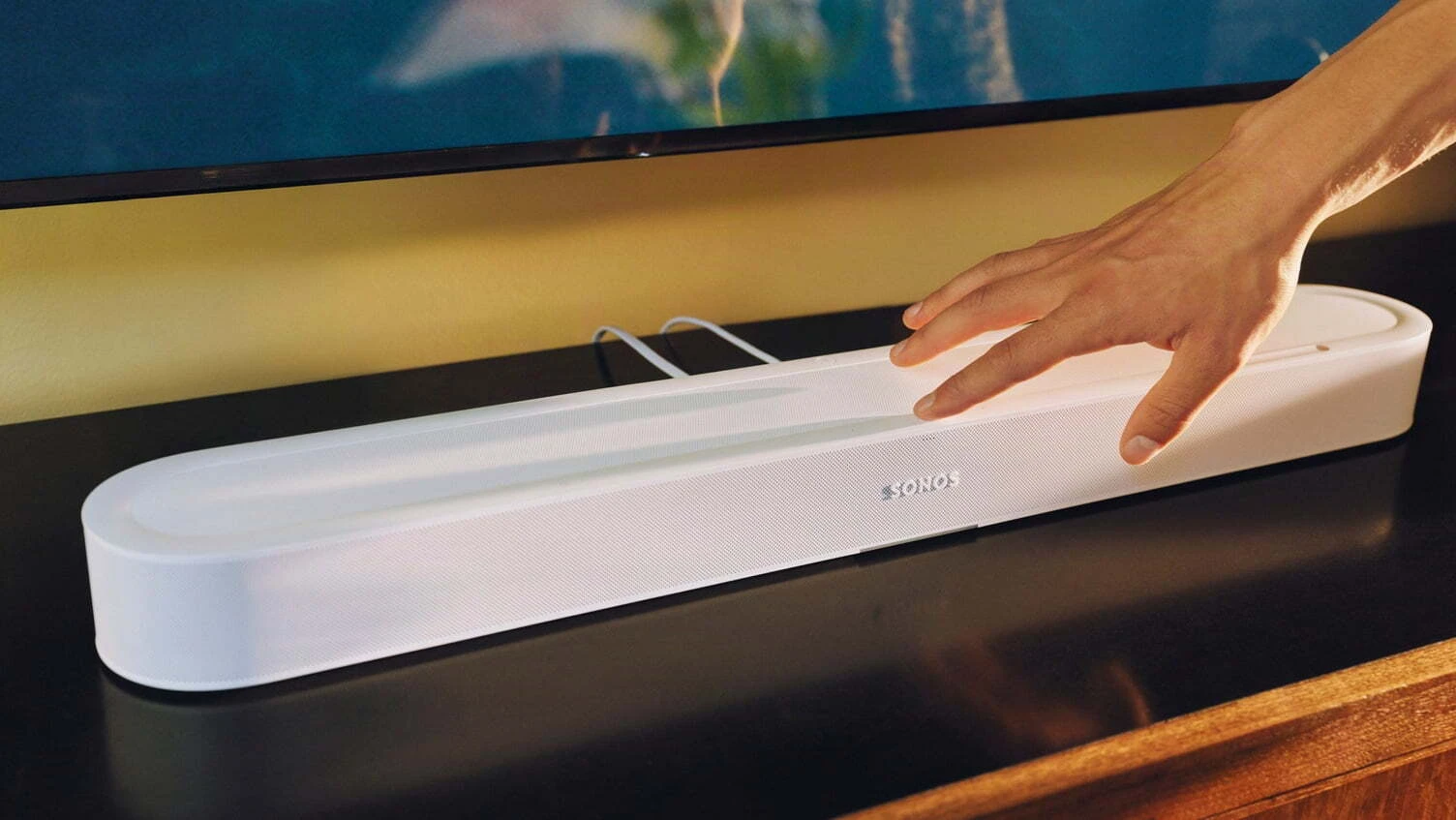
Sonos currently makes four soundbars: the Ray, Beam Gen 2, the new Beam Ultra and the Arc Ultra. The right one depends on three things: the size of your room and TV, the connections on your TV, and whether you want true overhead Dolby Atmos sound.
Written by Nic at Jennings Sound & Vision, an approved Sonos dealer in Fleet since 2008. Updated 28 September 2026.
SRP is the Sonos recommended retail price. We regularly run promotions and price match, so our price is often lower. Check each product page for today's price.
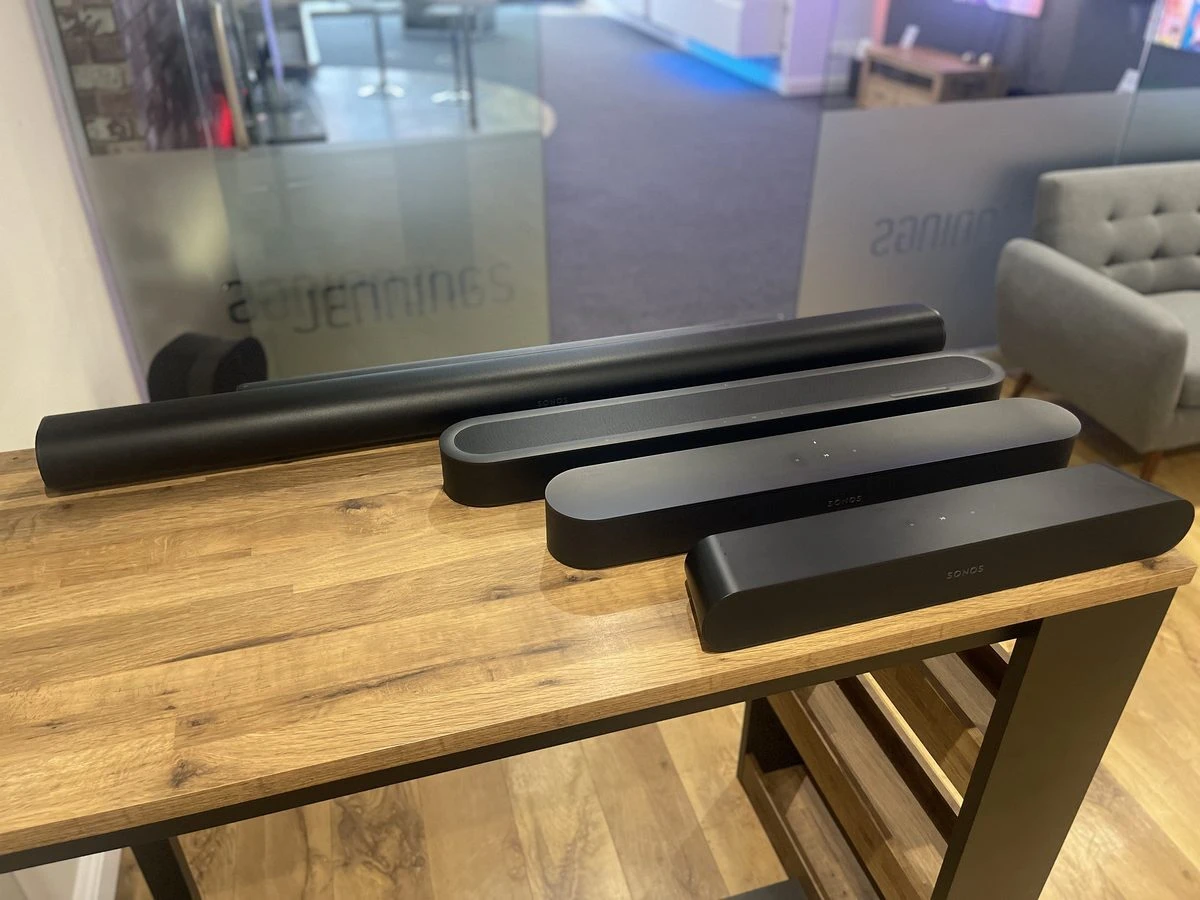
The Sonos soundbar range photographed in our Fleet showroom. From back to front: Arc Ultra, Beam Ultra, Beam (Gen 2) and Ray.
How big is each Sonos soundbar?
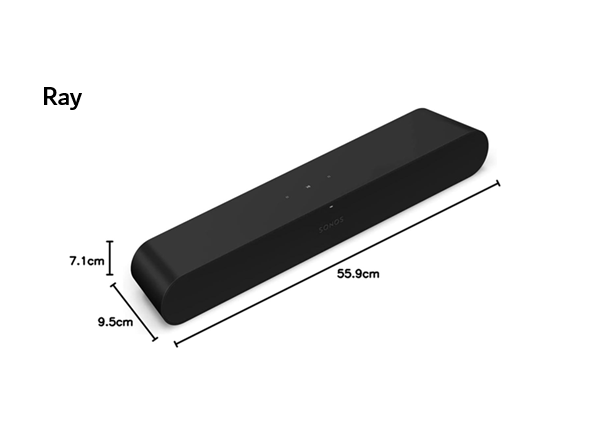
The Ray is the most compact at 559 mm wide, followed by Beam Gen 2 at 651 mm, Beam Ultra at 750 mm and Arc Ultra at 1178 mm. As a rule of thumb, Ray and Beam Gen 2 suit TVs from 32", Beam Ultra suits 43" to 65", and Arc Ultra is best with 55" and larger. The soundbars in the chart below are drawn to scale, and the dashed lines show the approximate width of 32", 43", 55" and 65" TVs.
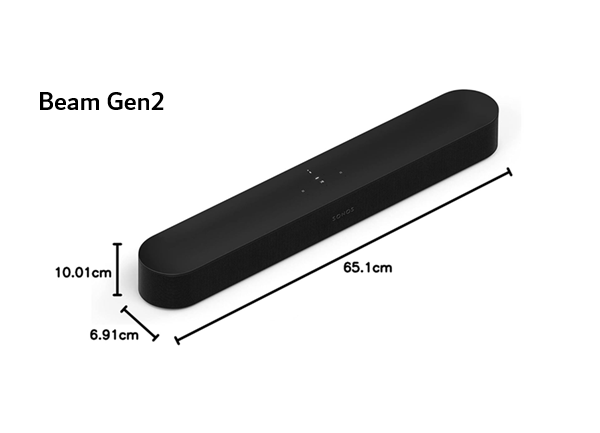
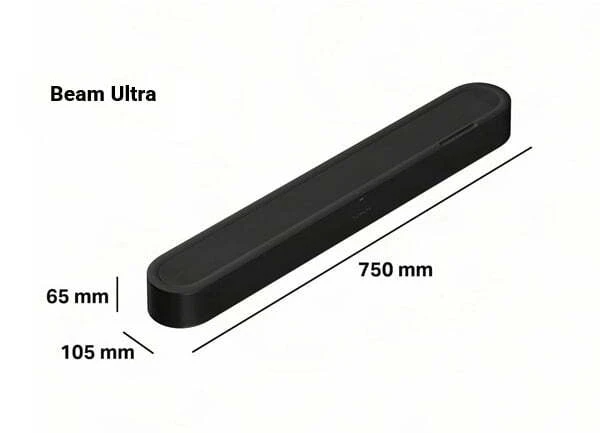
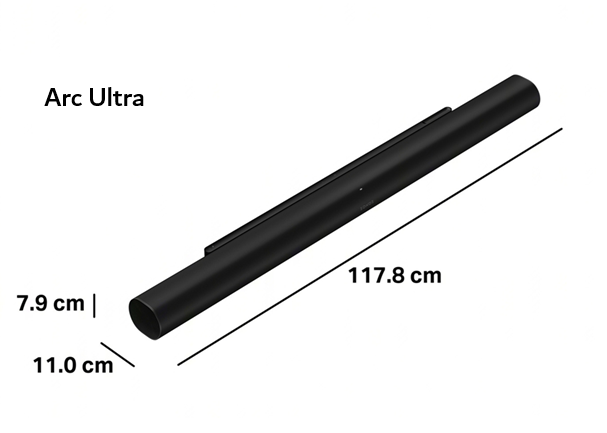
TV Screen Size




TV widths are approximate and vary by model. Whether the soundbar is wider or narrower than the TV is a matter of taste; hearing them in the showroom is the easiest way to decide. Beam Ultra uses a new wall mount, so brackets for the original Beam and Beam Gen 2 will not fit.
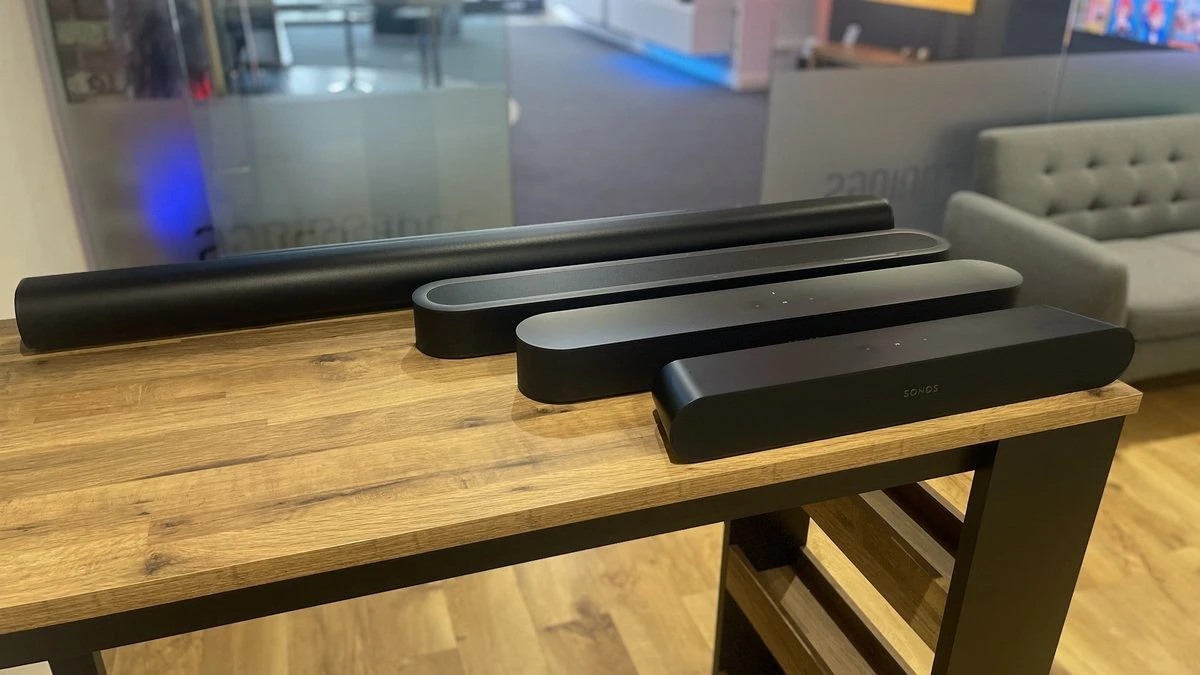
The real-life size difference, photographed in our Fleet showroom. From left to right: Arc Ultra, Beam Ultra, Beam (Gen 2) and Ray.
Sonos soundbar comparison: Ray vs Beam Gen 2 vs Beam Ultra vs Arc Ultra
Beam Ultra and Arc Ultra are the only Sonos soundbars with dedicated up-firing drivers for true Dolby Atmos. Beam Gen 2 creates height effects virtually, and Ray does not support Dolby Atmos.
| Compare | Entry level Sonos Ray |
Most popular Beam Gen 2 |
New Beam Ultra |
Premium Arc Ultra |
|---|---|---|---|---|
| Price & size | ||||
| SRP | £199 | £449 | £699 | £999 |
| Width | 559 mm | 651 mm | 750 mm | 1178 mm |
| Weight | 1.95 kg | 2.8 kg | 2.88 kg | 5.9 kg |
| Best TV size | 32"+ | 32"+ | 43" to 65" | 55"+ |
| Ideal room size | Up to 12 m² | Up to 20 m² | Up to 25 m² | 20 m²+ |
| Sound | ||||
| Dolby Atmos | ✕ | Virtual | True | True |
| Up-firing drivers | ✕ | ✕ | 2 | 2 (plus side-firing) |
| Channels | Stereo | 5.0 | 7.1.2 | 9.1.4 |
| Speaker drivers | 4 | 5 | 9 | 14 |
| Speech enhancement | Standard | Standard | AI, 4 levels | AI, 4 levels |
| Connections | ||||
| TV connection | Optical | HDMI eARC | HDMI eARC | HDMI eARC |
| Optical adapter | Not needed | Included | Sold separately | Sold separately |
| Wi-Fi | 2.4 GHz | 2.4 / 5 GHz | Wi-Fi 6 | Wi-Fi 6 |
| Bluetooth audio | ✕ | ✕ | BT 5.3 | BT 5.3 |
| Apple AirPlay 2 | ✓ | ✓ | ✓ | ✓ |
| Wired Ethernet | Built in | Built in | Via adapter | Built in |
| Smart features | ||||
| Voice control | ✕ | Alexa, Google, Sonos | Sonos (Alexa to follow) | Alexa, Sonos |
| Trueplay tuning | ✓ | ✓ | ✓ | ✓ |
| Add a Sub & surrounds | ✓ | ✓ | ✓ | ✓ |
| Two Sub 4s | ✕ | ✕ | ✓ | ✓ |
| Portable surrounds Play or Move 2 |
✕ | ✓ | ✓ | ✓ |
| Sonos Ace TV Audio Swap | ✕ | ✓ | ✓ | ✓ |
| View Sonos Ray | View Beam Gen 2 | View Beam Ultra | View Arc Ultra | |
Prices shown are SRP, the Sonos recommended retail price. We regularly run promotions and price match, so our price is often lower; check each product page for today's price. Ideal room sizes are our own guidance from setting these up in customers' homes. Specifications from Sonos, correct at time of writing.
How to choose the right Sonos soundbar
These are the questions we ask every customer in the showroom. Your answers usually point clearly to one soundbar.
Does my TV have HDMI eARC, ARC or optical?
HDMI eARC (enhanced Audio Return Channel) is the best connection. It carries the highest-quality Dolby Atmos, including lossless Dolby TrueHD from Blu-ray players and games consoles, lets your TV remote control the soundbar, and makes setup simple. Most TVs from the last few years have an eARC socket.
HDMI ARC is the next best. It still gives you TV remote control and Dolby Atmos from streaming apps such as Netflix and Disney+, but not the lossless formats that eARC supports.
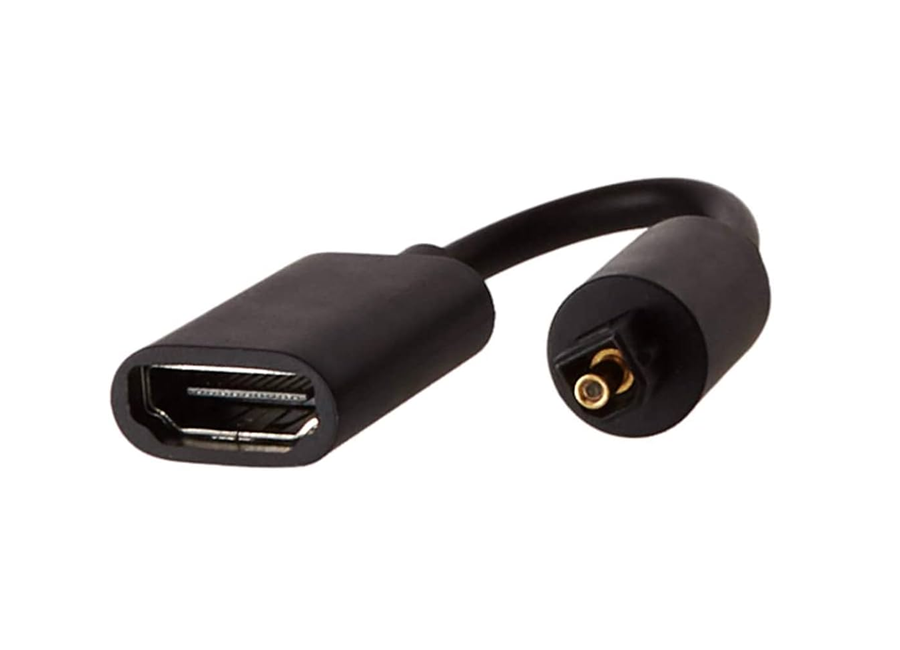
Optical is the fallback for older TVs. It carries standard surround sound but not Dolby Atmos. Beam Gen 2, Beam Ultra and Arc Ultra can all connect to an optical-only TV using the Sonos optical adapter, which is included with Beam Gen 2 and sold separately for Beam Ultra and Arc Ultra. The Ray connects by optical only and comes with an optical lead. If your TV only has optical, the Ray or Beam Gen 2 is usually the better value, as you would not get the full benefit of Beam Ultra or Arc Ultra.
What is the difference between virtual and true Dolby Atmos?
Dolby Atmos adds height to films and music, so a helicopter sounds like it is above you. True Atmos uses up-firing drivers that bounce sound off your ceiling; Beam Ultra has two, and Arc Ultra adds further up-firing and side-firing drivers for 9.1.4 sound. Virtual Atmos, used by Beam Gen 2, recreates height through processing. It is impressive in a typical living room, but not as convincing as the real thing.
Up-firing drivers need space above them, ideally around 10 cm. If your soundbar will sit inside a cabinet, the Sonos app can switch Beam Ultra to a simulated height mode, but in that situation Beam Gen 2 may be the better buy.
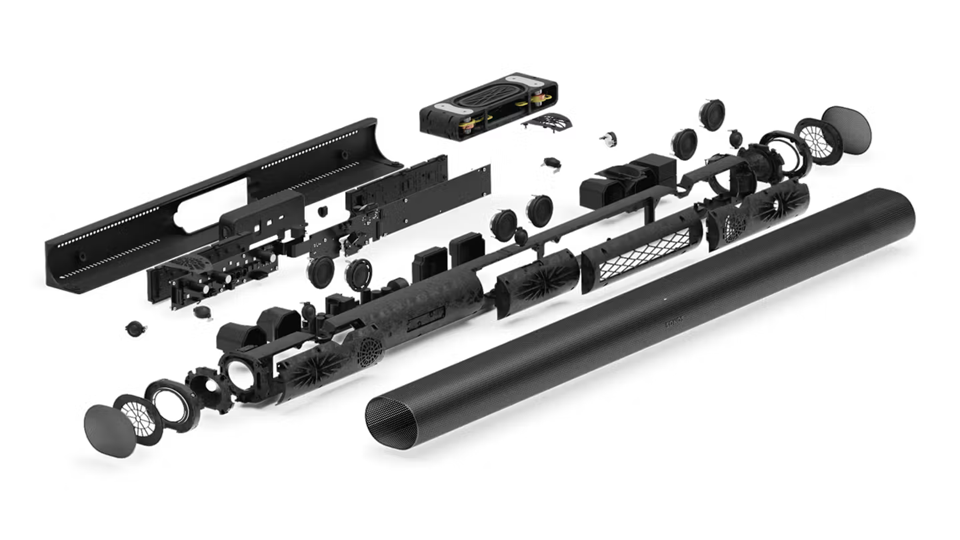
Which Sonos soundbar is best for clear dialogue?
All four have Speech Enhancement to lift voices above background music and effects. Beam Ultra and Arc Ultra go further with AI Speech Enhancement, which picks out voices and lets you choose from four levels: Low, Medium, High and Max. It was developed with the hearing-loss charity RNID, so if you or someone at home struggles to follow dialogue, these two are the ones to hear.
Which is best for music?
Every Sonos soundbar doubles as a music speaker, streaming over Wi-Fi from the Sonos app or Apple AirPlay 2. Beam Ultra and Arc Ultra also play from any phone over Bluetooth. For music, the extra drivers make a clear difference: Beam Ultra sounds noticeably fuller and wider than Beam Gen 2, and Arc Ultra has the deepest bass of any Sonos soundbar without adding a Sub.
What we recommend most often
For years the hardest call in the Sonos range was the gap between Beam Gen 2 and Arc Ultra. Beam Gen 2 is a brilliant all-rounder, but some customers wanted real overhead sound without a 1.2 metre soundbar. Beam Ultra fills that gap, and for a typical living room with a 50" to 65" TV it is now the one we expect to recommend most.
Beam Gen 2 is still the best value, especially if the soundbar will sit in a cabinet or you plan to add a Sub later. Ray remains a great first step up from TV speakers in a bedroom, kitchen or snug. Arc Ultra is the choice for larger rooms and bigger screens, and the most future-proof base for a full home cinema.
All four are set up side by side in our Fleet showroom, so you can hear the difference for yourself before you decide.
Jennings Sound & Vision, Fleet
Still deciding between two?
These are the three comparisons we are asked about most.
Beam Gen 2 vs Beam Ultra
Choose Beam Gen 2 if you want a big upgrade on TV speakers for less, your TV only has optical, or the soundbar will sit inside a cabinet.
Choose Beam Ultra if you want true overhead Dolby Atmos, AI Speech Enhancement for clearer dialogue, Bluetooth, and fuller sound for music.
Beam Ultra vs Arc Ultra
Choose Beam Ultra if your room is average-sized, your TV is up to 65", or you would rather put the price difference towards a Sub or surround speakers.
Choose Arc Ultra if you have a large room or a TV 55" and up, and want the widest soundstage and deepest bass Sonos makes.
Ray vs Beam Gen 2
Choose Ray if the room is small, your budget is tight, or your TV only has an optical output.
Choose Beam Gen 2 if your TV has HDMI ARC or eARC and you want Dolby Atmos, voice control and a bigger, richer sound.
Can I add a Sub and surround speakers later?
Yes. Every Sonos soundbar can be expanded into a wireless home cinema system, now or later. Surrounds and Subs only need a power socket and connect to the soundbar over Wi-Fi, so there are no speaker cables to run across the room.
| Works with | Ray | Beam Gen 2 | Beam Ultra | Arc Ultra |
|---|---|---|---|---|
| Sonos Sub Mini | ✓ | ✓ | ✓ | ✓ |
| Sonos Sub 4 | ✓ | ✓ | ✓ | ✓ |
| Two Sub 4s | ✕ | ✕ | ✓ | ✓ |
| Era 100 surrounds | ✓ | ✓ | ✓ | ✓ |
| Era 300 surrounds (Dolby Atmos) | ✕ | ✓ | ✓ | ✓ |
| Play or Move 2 as portable surrounds | ✕ | ✓ | ✓ | ✓ |
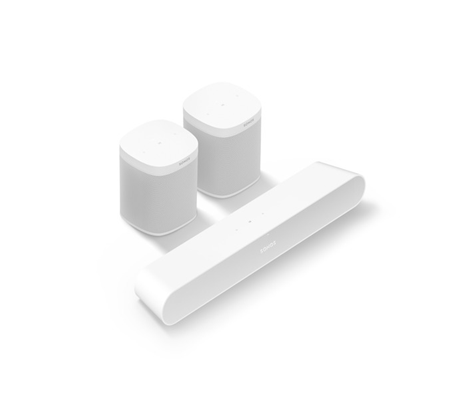
Add surround speakers
Place a pair of Era 100 speakers behind your seating for true surround sound, or Era 300s for overhead Dolby Atmos effects too with Beam Gen 2, Beam Ultra or Arc Ultra. They can sit on a shelf or side table, or be wall mounted or fitted on floor stands. With Beam Gen 2, Beam Ultra or Arc Ultra, you can also use two Sonos Play or two Move 2 portable speakers as temporary rear surrounds; just bring them into the room and they set themselves up.
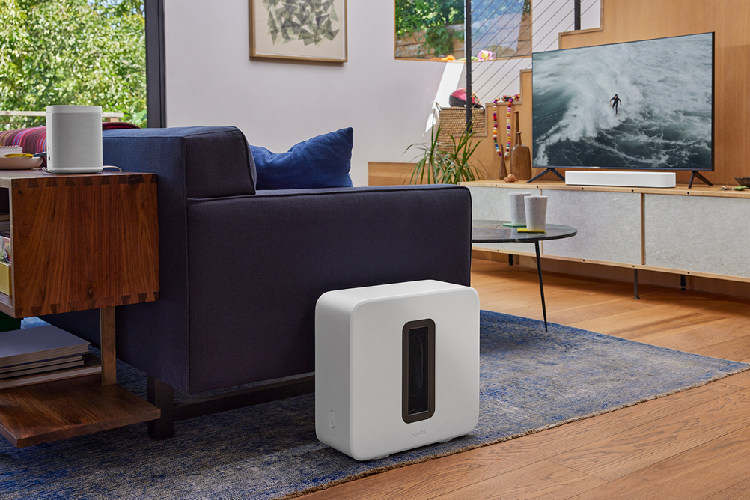
Add a Sub for deeper bass
A Sub Mini or Sub 4 lets the soundbar focus on voices and detail while the Sub handles the deep, impactful low notes. Keep it in the same room near a power socket; it can be tucked out of sight. For even deeper, more even bass, Beam Ultra and Arc Ultra can each take two Sub 4s. Add two Era 300s to an Arc Ultra with two Sub 4s and you have the ultimate 9.2.4 Dolby Atmos system.
Adding rear surrounds? Era 100 SL, Era 100 and Era 300 can all be paired with a Sonos soundbar as wireless rear speakers. Compare the range to see which suits your room.
Compare Sonos speakers