
What size TV should I buy?
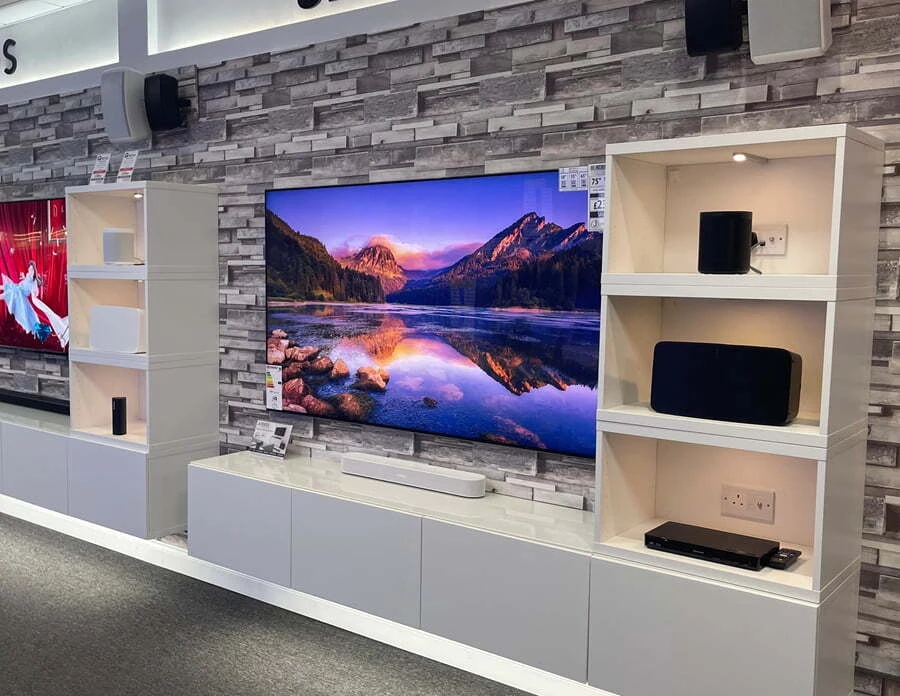
There’s no single “right” size
Ask ten people what size TV suits a room and you’ll get ten answers. Some people love a big screen that fills their view; others prefer something that sits more quietly in the room. Both are right — the best size is the one that suits you.
There are some useful rules of thumb, and we’ll go through them below. But treat them as a starting point, not the final word. The most reliable guides are the TV you already own, how easily you can read what’s on it, and what feels right when you see different sizes in person.
This guide walks you through those checks, plus the practical bit people often forget: making sure the TV actually fits your wall, alcove or TV unit.
Start with the TV you have now
Your current TV is the best reference point you have. Measure it (TV sizes are measured diagonally, corner to corner, in inches) and ask yourself:
- Can you comfortably read the TV guide, the iPlayer and Netflix menus and subtitles from where you sit?
- Are the small things — weather symbols, sports scores, the clock in the corner — easy to make out?
- Does anyone in the family sit forward, squint or move closer to read the screen?
- Has your room, seating or viewing changed since you bought it — more films, sport or gaming?
If you’re struggling with any of these, your next TV should probably be bigger. If everything is easy to read and the size feels right, a similar size — with a better picture — may be all you need.
What our customers tell us
Very few customers come back wishing they’d chosen a smaller screen. It’s much more common to hear that someone wishes they’d gone for the next size up — a new TV tends to look big for the first week, then quickly feels normal.
That doesn’t mean bigger is always better. It just means it’s worth looking at the next size up before you decide.
The rule of thumb: viewing distance
Measure from where you usually sit to where the screen will be. With today’s 4K TVs you can sit closer than with older HD sets without seeing the pixels, so these ranges are a helpful starting point:
| Screen size | Typical seating distance | Often suits | |
|---|---|---|---|
| 42" – 43" | Up to about 2 m | Bedrooms, studies, kitchens, gaming desks | Shop 42" |
| 48" – 50" | About 1.5 – 2.5 m | Bedrooms and smaller living rooms | Shop 48" |
| 55" | About 2 – 3 m | Most UK living rooms | Shop 55" |
| 65" | About 2.5 – 3.5 m | Larger living rooms — the most popular upgrade | Shop 65" |
| 75" – 77" | About 3 – 4 m | Large living rooms and open-plan spaces | Shop 75" |
| 83" and up | About 3.5 m or more | Big rooms and dedicated cinema rooms | Shop 83" |
Sit at the closer end of a range for a more immersive, cinema-like feel, or further back for relaxed everyday viewing. And remember: if you like a big screen, or find text hard to read, going a size up from the table is perfectly sensible.
What you watch matters too. If you watch a lot of high-quality content — 4K/UHD streaming, 4K Blu-ray, or good HD from services like BBC iPlayer, Sky or Netflix — a larger screen really shows it off. The extra detail in a 4K picture is exactly what a bigger screen is made for.
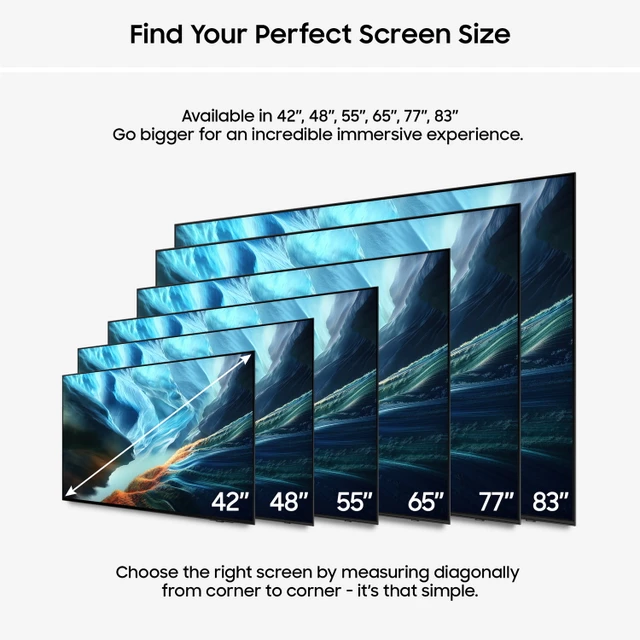
Picture the size in your room
Numbers on a page are hard to imagine, so try this before you buy:
- Mark it out. Cut a piece of cardboard, or use masking tape on the wall, to the screen’s width and height. Live with it for a day or two.
- Check from your seat. Sit where you normally watch and see how it feels — not from across the room.
- Come and compare. We have a range of sizes on demo in our Fleet showroom, so you can see how different screens look from a typical viewing distance.
Every TV page on our site lists the exact width, height and depth, so you can mark out the precise size of the model you’re considering.
Measure up: will it fit?
The most common surprise on delivery day isn’t the picture — it’s the TV not fitting the space. Before you choose, check these three things:
1. Wall or alcove width
A TV is much wider than its screen size suggests — a 65" TV is about 1.45 m wide. Allow a little space either side, especially in an alcove or between windows.
2. TV unit width and depth
Check where the TV’s stand or feet sit. Some TVs have feet near each end, so your unit needs to be almost as wide as the TV. Others have a central stand that needs less width but a certain depth.
3. Room for a soundbar
A soundbar usually sits in front of the TV, so check its height won’t block the bottom of the screen — or the TV’s remote control sensor. Even TVs with Bluetooth remotes still use an infrared sensor for the power button, which needs a clear line of sight. Make sure the unit is deep enough for the soundbar in front of the TV’s stand too.
Approximate screen sizes (16:9)
| Screen size | Screen width (approx.) | Screen height (approx.) |
|---|---|---|
| 42" | 93 cm | 52 cm |
| 48" | 106 cm | 60 cm |
| 55" | 122 cm | 68 cm |
| 65" | 144 cm | 81 cm |
| 75" | 166 cm | 93 cm |
| 77" | 171 cm | 96 cm |
| 83" | 184 cm | 103 cm |
| 85" | 188 cm | 106 cm |
These are screen-only sizes; the TV itself is slightly larger once the frame is included. Always check the exact dimensions and stand size on the TV’s own page — every TV page on our site has a top tip with the stand or feet measurements.
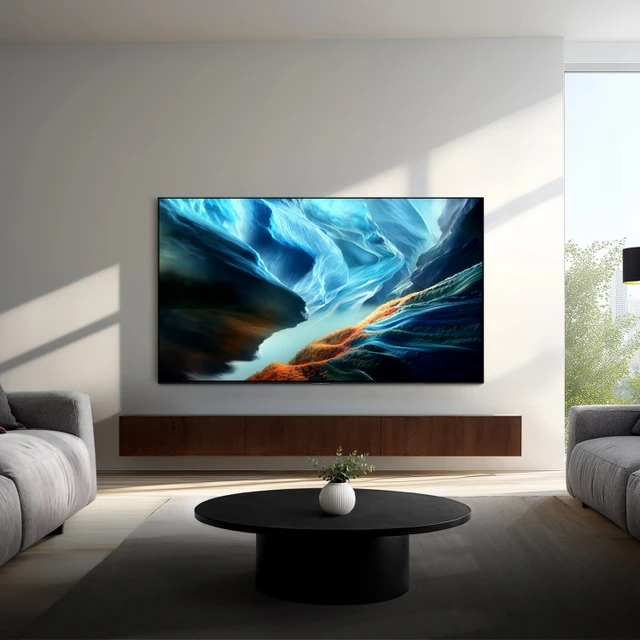
Wall-mounting: size and height
Wall-mounting frees you from the size of your TV unit, so it’s often how people fit a bigger screen into the same room. A few things to bear in mind:
- Height: for comfortable viewing, the middle of the screen is usually best at around seated eye level — higher than that and you’ll be looking up.
- The right bracket: it must match the TV’s VESA fixing and be rated for its size and weight. Each of our TV pages lists the Vogel’s mounts that fit.
- Walls and cables: plasterboard, chimney breasts and hiding cables all need planning.
Our own installers can wall-mount your TV, hide the cables and set everything up. See our TV installation service.
Coming in to choose? Bring your “vital stats”
If you jot down a few measurements before you visit our Fleet showroom, we can help you narrow down the right size in minutes:
Your current TV
The screen size (measured diagonally), and what you like or don’t like about it.
Your TV unit
Its width and depth, if the new TV will sit on a stand.
Your wall
The width and height of the wall or alcove, if you’re wall-mounting.
Viewing distance
How far you sit from the screen — from each seat, if they differ.
A photo of the room on your phone helps too.
Sizes by room
Bedroom
Usually 42" to 55", depending on the distance from the bed. Check the TV can be seen clearly lying down as well as sitting up.
Kitchen or study
42" to 48" is common. A smaller screen is easier to place, and you’ll often be closer to it.
Living room
55" or 65" suits most UK living rooms. If you sit more than 3 metres away, or love films and sport, look at 65" or 77".
Cinema or media room
77" and up, ideally wall-mounted, with a soundbar or surround sound to match the size of the picture.
Choosing between Samsung’s OLED ranges too? See our Samsung S90H vs S95H guide.
Why buy your TV from Jennings?
Buying from an independent doesn’t mean paying more. We’re an authorised dealer for Samsung, LG and Sonos, we buy through a group of independent retailers, and we run regular promotions — so our prices are competitive with the big chains, with the personal service you won’t get from them.
Competitive prices
Seen the TV you want for less at an authorised UK retailer? Tell us and we’ll try to match it. Price match terms
Honest, expert advice
We’ll help you pick the right size and model for your room — no pushy sales talk.
Local delivery & installation
Free local delivery around Fleet, and our own team can wall-mount and set everything up.
Here after you buy
Family-run on Fleet Road since 1996 — if you ever need help, you can call or pop in.
“Great help and advice from Nic at Jennings, no pushy sales talk. Competitive prices and great service. Would thoroughly recommend.”
“I’ve been using Jennings for 20+ years. I have never been disappointed with their knowledge, prices, installations and after sales service (and they’re really nice people).”
TV size questions
What size TV should I buy?
There’s no single right answer — it depends on your room, how far away you sit and your own preference. As a starting point, 55" suits a seating distance of about 2–3 metres and 65" about 2.5–3.5 metres. If you struggle to read menus, the TV guide or subtitles on your current TV, it’s a good sign you’d benefit from a bigger screen.
How far should I sit from a 55-inch TV?
Around 2 to 3 metres suits most people with a 55" 4K TV. Sitting closer gives a more immersive, cinema-like feel; further back is fine for relaxed viewing.
How far should I sit from a 65-inch TV?
Around 2.5 to 3.5 metres suits most people with a 65" 4K TV, which is why it’s such a popular choice for UK living rooms.
Is a 65-inch TV too big for my living room?
Usually not. Most people find a 65" TV looks big for the first few days and then feels normal. Check that it fits your wall or TV unit — a 65" TV is about 1.45 m wide — and mark out the size with cardboard or masking tape if you’re unsure.
How wide is a 55-inch TV?
A 55" TV screen is about 1.22 m wide and 68 cm high. The TV itself is slightly bigger once the frame is included, so check the exact dimensions on the TV’s page.
Do I need a bigger TV unit for a bigger TV?
Not always. It depends on the stand. TVs with feet near each end need a unit almost as wide as the TV, while TVs with a central stand need less width but enough depth. Each TV page on our site has a top tip with the exact stand measurements.
Can I see different TV sizes before I buy?
Yes. We have a range of TV sizes on demo in our Fleet showroom at 185 Fleet Road, GU51 3BL, so you can see how different screens look from a typical viewing distance. Bring your current TV size, your TV unit or wall measurements and your viewing distance, and we’ll help you choose. Walk in, or call 01252 811800 to book a time.
See the sizes for yourself
The easiest way to choose is to see different sizes in person. Pop into Jennings Sound & Vision at 185 Fleet Road — bring your room measurements and we’ll help you find the size that suits you.