
The Sonos App Explained
Control Your Whole Sonos System in One App
The Sonos app is how you set up, control and personalise every Sonos speaker, soundbar and subwoofer in your home. It brings all your music, radio and podcast services together in one place, so you can play anything in any room, or every room at once.
The app is free to download on compatible iPhone, iPad and Android devices. Since September 2026 it runs on Sonos 27, the latest version of the Sonos software platform. If you have older Sonos products, check the compatibility section below to see which app they need, and whether you qualify for 30% off with Sonos Trade Up.


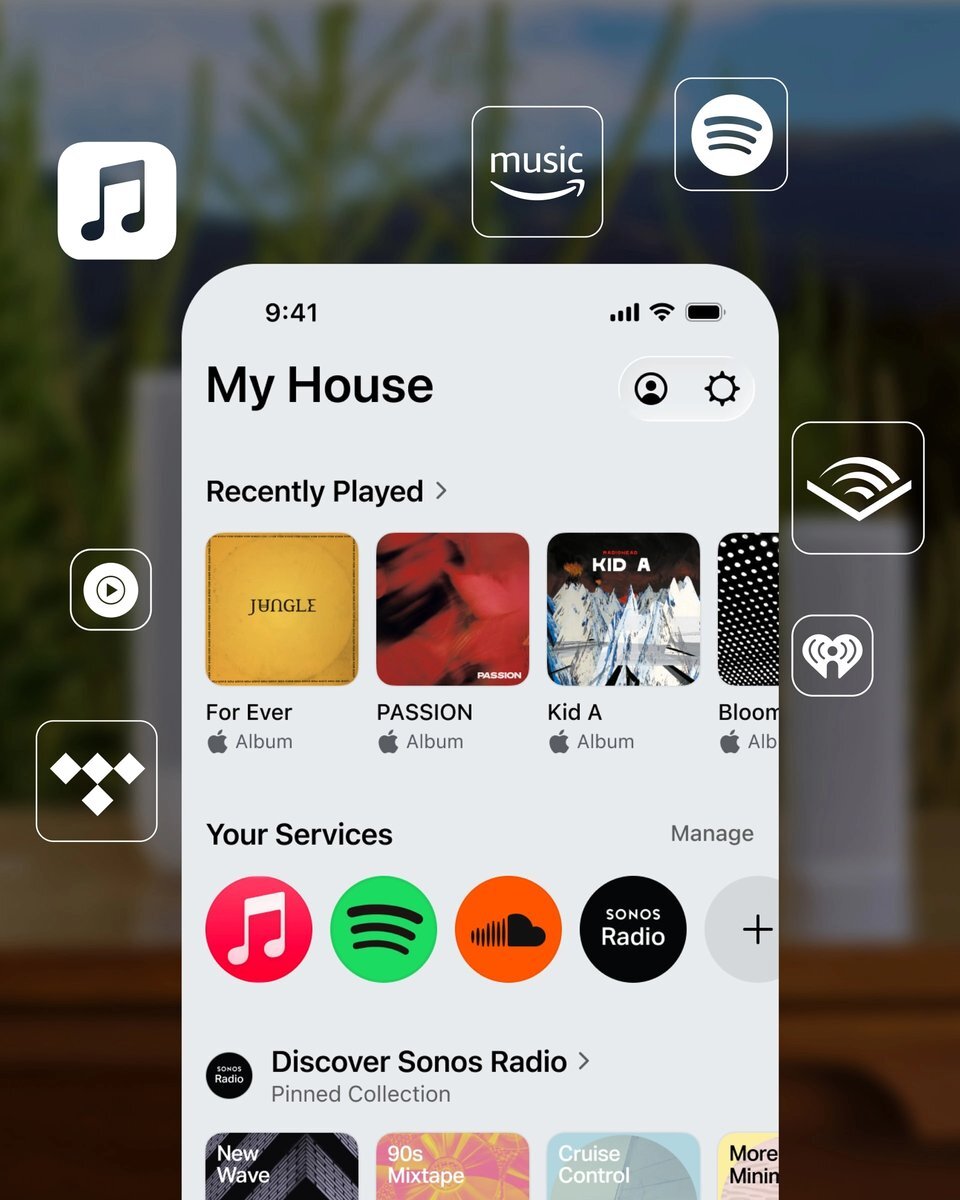
What's New with Sonos 27
Sonos 27 is a free software update for all Sonos S2 products, rolling out from September 2026. It updates automatically when you keep the Sonos app up to date. Some features are only available on certain products, and some are being released in stages.
Easier app navigation
A redesigned layout makes it quicker to find your music, switch rooms and control your whole system.
Portable surrounds
Owners of a Sonos Move 2 or Sonos Play can use them as surround speakers with a Sonos soundbar, then pick them up and take them elsewhere.
AI and voice control
Sonos 27mcp (Early Access) lets you connect an AI assistant such as ChatGPT to your Sonos system, and Sonos's own Sonos 27voice assistant is following as an Early Access feature.
Headphone linking
The new Sonos Ace Ultra headphones can link directly into your Sonos system, so you can move sound between your speakers and headphones.
What You Can Do with the Sonos App
Find everything faster
Search for an artist, genre, album or song and get combined results from all your music services.
Curate and customise
Save playlists, artists and stations from any service to Sonos Favourites, so your go-to music is always close at hand.
Play in every room
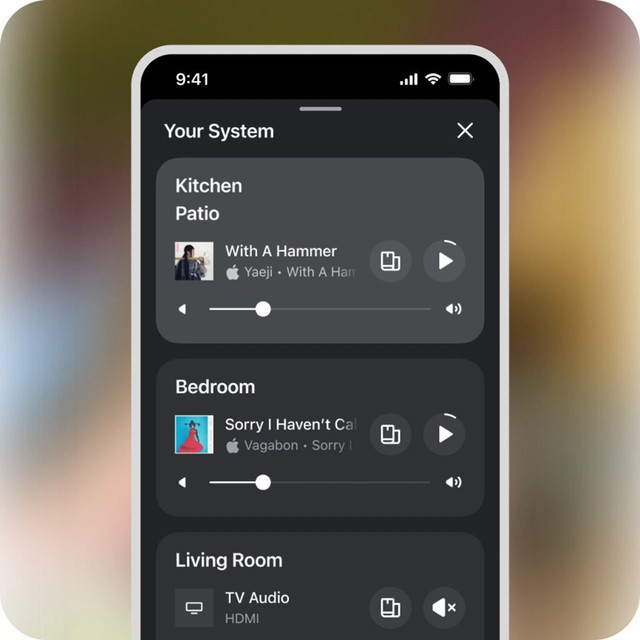
Play different music in different rooms, or group rooms together to play the same thing throughout your home, with the volume set room by room.
Set up and fine-tune
Add new speakers, pair a soundbar with a subwoofer and surrounds, and adjust sound settings such as bass and treble to suit your room.
Which Sonos Products Work with Which App?
There are two Sonos apps: the current Sonos app (previously known as Sonos S2) and the older Sonos S1 Controller app. All current Sonos products need the Sonos app, many older products work with either, and a few of the oldest only work with S1.

Sonos app only
Need the current Sonos app. Not compatible with S1.
Amp Multi · Arc · Arc SL · Arc Ultra · Beam (Gen 2) · Beam Ultra · Era 100 · Era 100 Pro · Era 100 SL · Era 300 · Five · Move 2 · One SL · Ray · Roam · Roam 2 · Roam SL · Sonos Ace · Sonos Ace Ultra · Sonos Play · Sub (Gen 3) · Sub 4 · Sub Mini · SYMFONISK Bookshelf (Gen 2) · SYMFONISK Floor lamp · SYMFONISK Picture frame · SYMFONISK Table lamp (Gen 2)
Works with either app
Work with the Sonos app or the S1 Controller app.
Amp · Beam (Gen 1) · Boost · Connect (Gen 2) · Connect:Amp (Gen 2) · Move · One (Gen 1) · One (Gen 2) · Play:1 · Play:3 · Play:5 (Gen 2) · Playbar · Playbase · Port · Sub (Gen 1) · Sub (Gen 2) · SYMFONISK Bookshelf (Gen 1) · SYMFONISK Table lamp (Gen 1)
S1 Controller app only
Older products that only work with the S1 Controller app.
Bridge · Connect (Gen 1) · Connect:Amp (Gen 1) · CR200 · Play:5 (Gen 1) · ZonePlayer 80 · ZonePlayer 90 · ZonePlayer 100 · ZonePlayer 120 · ZonePlayer S5
Own a ZonePlayer, an early Connect or Connect:Amp, or a Play:5 (Gen 1)? You could get 30% off a new Sonos product, and keep your old one.
See Sonos Trade Up →Not sure which generation you have? Check the System section of your Sonos account, or see Sonos's full compatibility list. Sonos 27 features are only available on products that use the current Sonos app.
30% off
the SRP of any new Sonos product
Upgrade Your Original Sonos and Keep the Old One
If you own one of these original Sonos products, you can get 30% off any new product in the Sonos range at Jennings Sound & Vision:
✓Just send us a photo of the model and serial badge
✓Keep your old product and carry on using it
Our Take: mixing old and new Sonos
Many customers have a mix of older and newer Sonos speakers. If everything you own is in the first two columns above, it can all run together in the current Sonos app and get the Sonos 27 update.
If you have any S1-only products, they can't join a system with the newest Sonos products, so you'd need to run them separately or replace them. Most of them qualify for Sonos Trade Up, which gives you 30% off a new Sonos product while you keep the old one. Pop into the showroom or give us a call and we'll talk you through the options for your setup.
Want it set up for you?
Our installation team can set up your Sonos system, add it to the app and get every room working together. For reliable playback in every room, we also install whole-home Wi-Fi.
Sonos App FAQs
Is the Sonos app free?
Yes. The Sonos app is free to download on compatible iPhone, iPad and Android devices.
What is Sonos 27?
Sonos 27 is the latest version of the software platform that runs Sonos products, rolling out from September 2026. It's a free update for all Sonos S2 products and adds new app navigation, portable surrounds and new AI control options, though some features are only available on certain products.
Is the Sonos app the same as Sonos S2?
Yes. The app previously known as Sonos S2 is now simply called the Sonos app, and it now runs on Sonos 27. The older app is called the Sonos S1 Controller.
Will my older Sonos speakers work with the Sonos app?
Most will. Many older products, such as the Play:1, Play:3, Playbar and Beam (Gen 1), work with either app. Only the oldest products, including the Bridge, Connect (Gen 1), Connect:Amp (Gen 1), CR200, Play:5 (Gen 1) and ZonePlayers, are limited to the S1 Controller app.
Can I use S1-only speakers with new Sonos products?
Not in the same system. S1-only products have to run in a separate system using the S1 Controller app, and can't be grouped with products in the current Sonos app. They also won't receive Sonos 27 features. If you own a ZonePlayer, an early Connect or Connect:Amp, or a Play:5 (Gen 1), you could get 30% off a new Sonos product with Sonos Trade Up.
Can you set up my Sonos system for me?
Yes. Our installation team can set up your Sonos speakers, soundbar and subwoofer, add them to the app and show you how it all works. Installation is a chargeable service; see our installation services or call us on 01252 811800.