
Which Sonos Soundbar is right for me?
Having been an Sonos approved reseller since 2008 we have sold & installed a huge number of Sonos products over the years. With all that experience and knowledge it puts us in a great place to be able to help you make the right decision on which Sonos soundbar meets your requirements.
On top of this we have the Sonos soundbars and associated products (subs & surround speakers) on demo in our showroom in Fleet where we will be happy to play your favourite track, run some TV content through them and of course answer any questions you may have along the way.
Published 25/02/2026
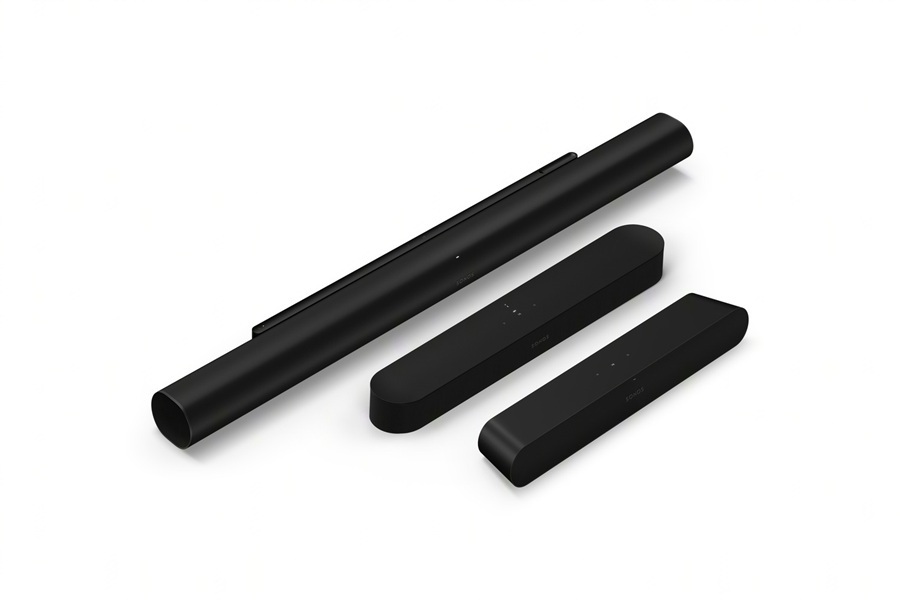
Sonos Soundbar Options.
Let's compare the Sonos Ray, Beam Gen 2 & the larger Arc Ultra soundbars
Size
A good place to start is the size of each unit. The Ray is the most compact soundbar measuring just under 56cm wide, followed by the Beam Gen 2 at 65.1cm and then the much larger Arc Ultra at 117.8cm.
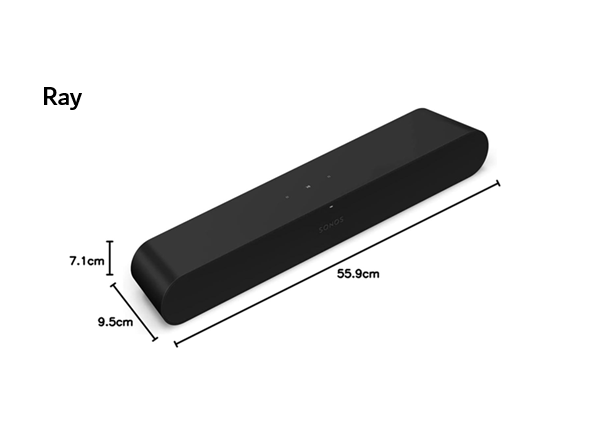
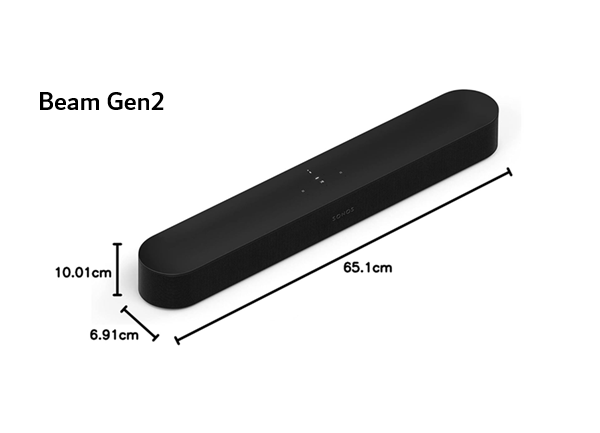
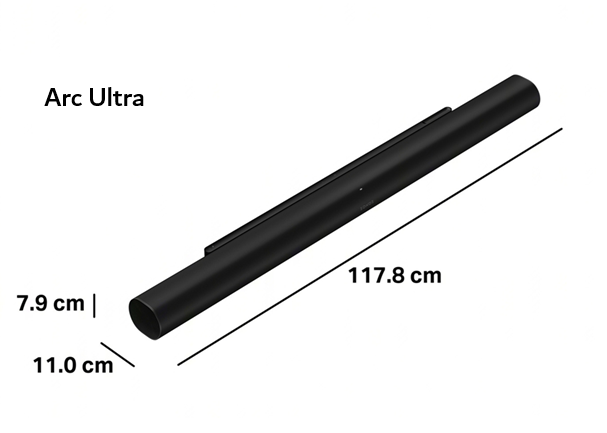
With these dimensions in mind we would normally recommend that the Arc Ultra is better suited to TVs that are 55" or larger. While Beam and Ray are well matched to TVs from 32" upwards. There are a few exceptions and it is entirely up to you whether the TV should be wider than the TV or not.
Connectivity
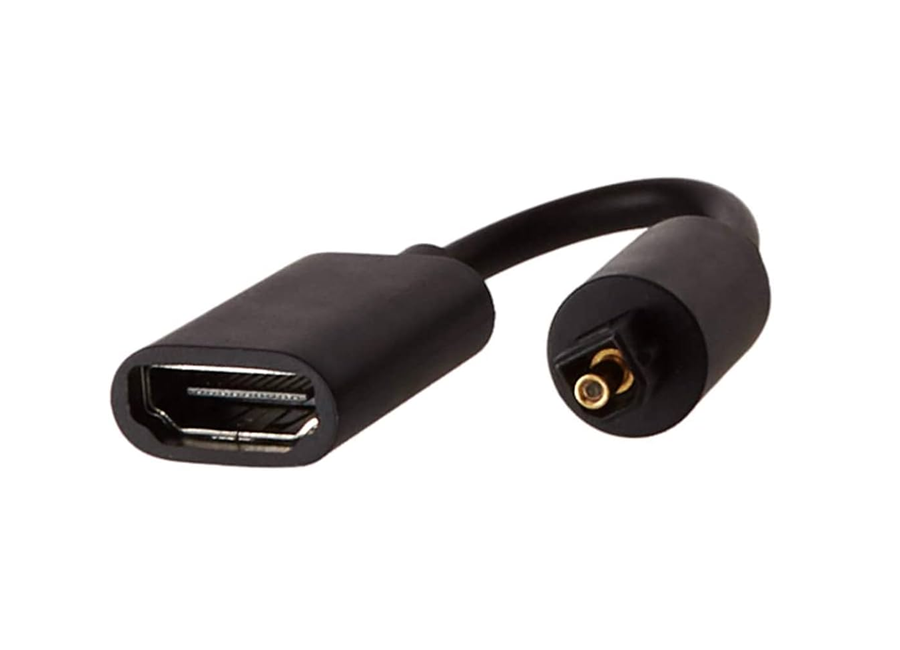
HDMI eARC or Optical?
If your TV supports HDMI ARC (ARC is short for Audio Return Channel) or HDMI eARC (enhanced ARC) then this is the preferred connection between your TV and soundbar. Alternatively you can connect via Optical however this doesn't offer the benefits of higher quality audio formats like Dolby Atmos along with a simpler setup process.
The Beam G2 and Arc Ultra offer HDMI eARC connectivity however can be used with optical if your TV doesn't support ARC or eARC connections. Beam G2 is supplied with an adaptor whearas with this is an optional extra with the Arc Ultra.
Sonos Ray soundbar is supplied with an optical lead and doesn't offer HDMI connectivity. It is therefore important that you have optical connection on your TV!
Sound Quality
Ray Soundbar
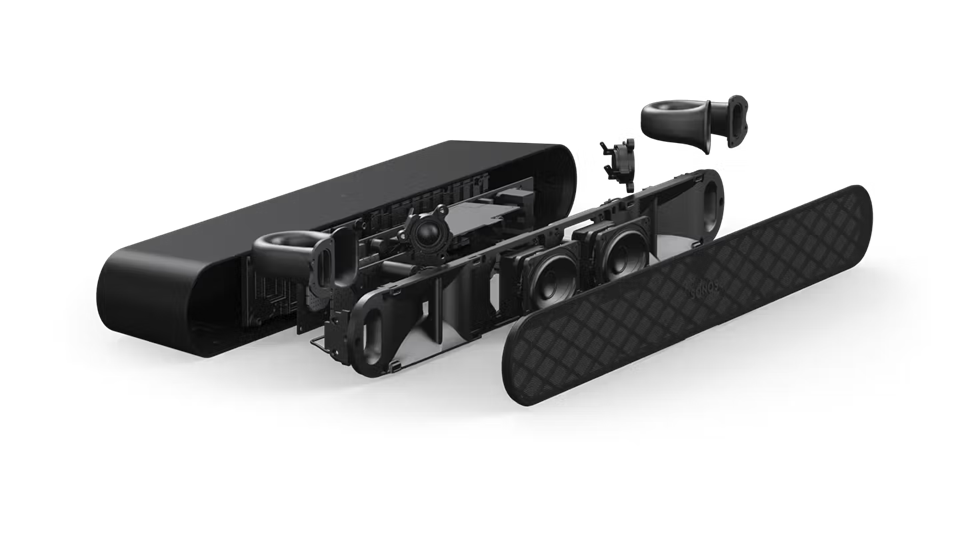
The Ray soundbar supports Dolby Digital audio however it is worth pointing out that it can't handle the latest Dolby Atmos format.
4 internal speaker drivers deliver a vast improvement on your existing TVs internal speakers giving more depth of sound and clarity.
Activate the speech enhancement mode to brighten the vocal range and deliver a crisp sound performance.
Beam Gen2
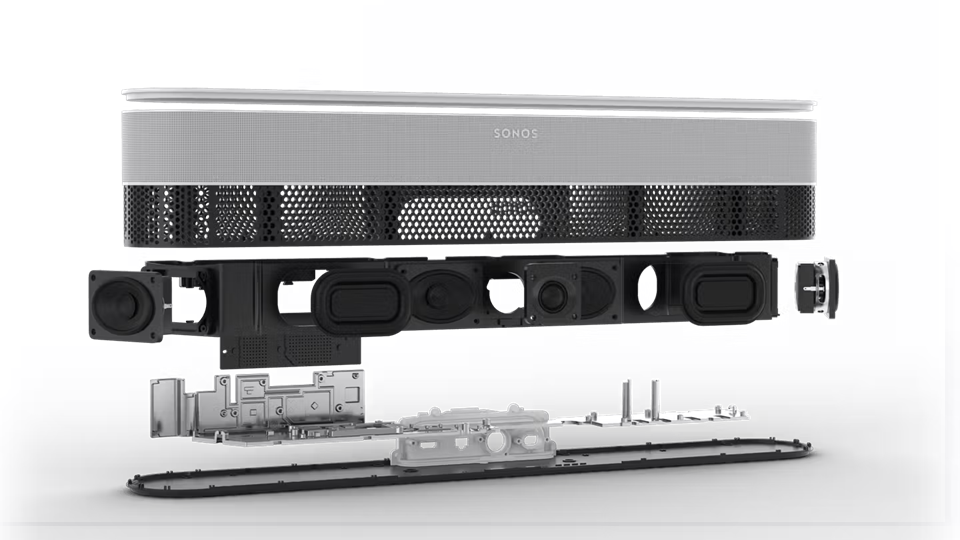
The Beam Gen 2 can process Dolby Atmos signals by creating a phantom height sound through clever sound processing and is a big step forward from the audio performance of Ray.
It's 5 internal speaker drivers deliver a rich bass without having to add the optional subwoofers (Sub 4 or Sub Mini) and with its wide angled drivers it manages to create a superb spacious sound making listening to music a joy.
The vocal sound quality is fantastic espcially when activating the Speech Enhancement mode.
Arc Ultra
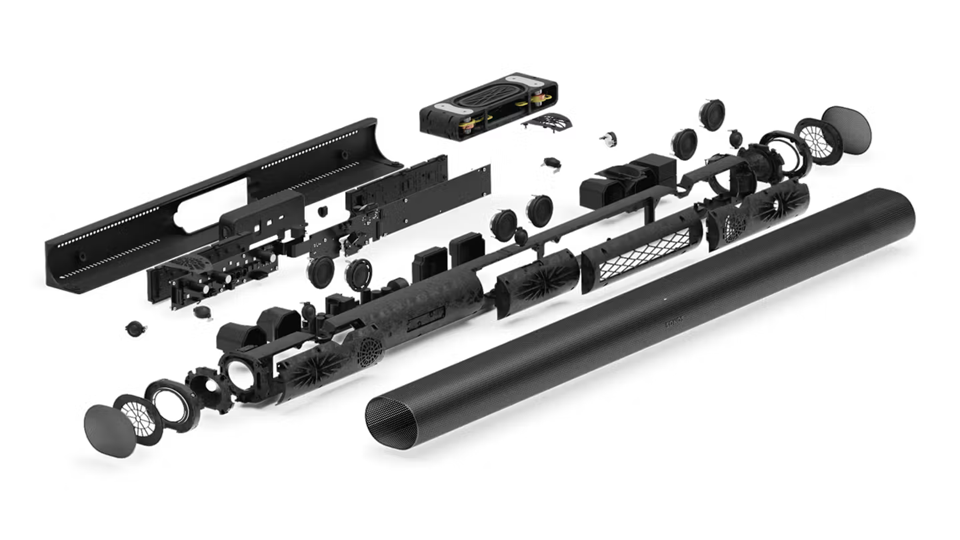
Enjoy true Dolby Atmos with the Arc Ultra's dedicated upward-firing drivers delivering 9.1.4 spatial audio.
14 internal speaker drivers ensure an amazing spacious sound along with rich powerful bass thanks to a new revolutionary flat & compact internal bass speaker.
Crystal clear speech for all - Choose from 4 different levels of speech enhancement to ensure you hear every word of your favourite drama series or film.
|
Sonos Ray
Entry level
|
Most popular
Beam Gen 2
Mid-range
|
Arc Ultra
Premium
|
Our Latest Deals on Sonos Soundbars
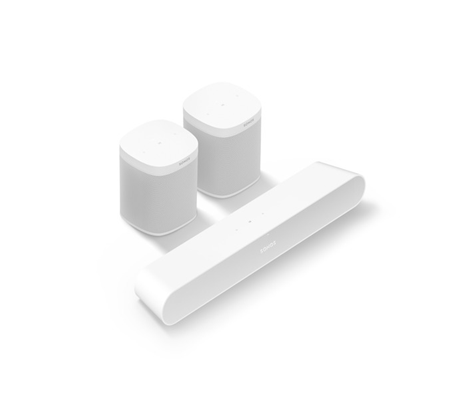
Create a Home Cinema System
You can add surround sound speakers to all three Sonos soundbars. Purchase either two Sonos ERA100 or ERA300 speakers and position them at the back of your room to create a surround sound experience.
Surround speakers just require power and will wirelessly link back to your chosen Sonos soundbar. They can either sit on a shelf, side table or can be wall mounted or fitted on floor stands.
Not just great TV audio but sounds amazing with music!
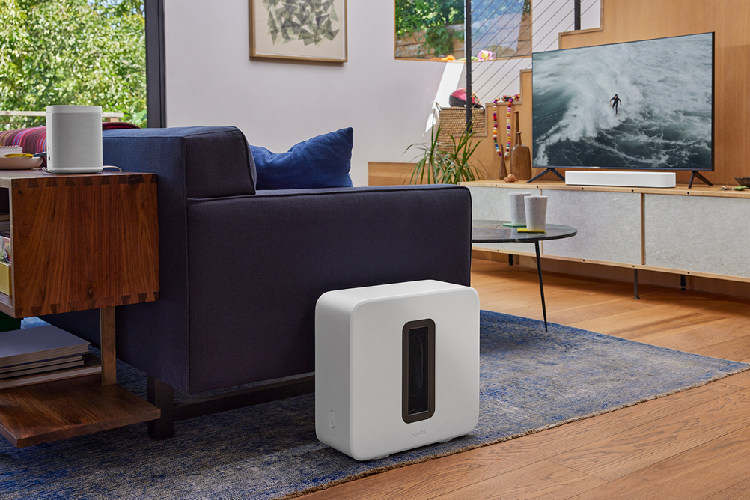
Add a Sub for a more dynamic experience
Wirelessly connect a Sonos Sub 4 or Sub Mini to either Sonos Ray, Beam G2 or Arc Ultra. Simply plug into power and the sub will wirelessly connect to the bar. Position the sub out of sight if you like, just keep it in the same room and near a power point!
Adding a sub to your soundbar allows your soundbar to focus on the mid to high frequency sounds letting the sub focus on what it's best at - deep impactful low notes.
For a premium cinema experience the Sonos Arc Ultra will allow up to two Sonos Sub 4 subwoofers to be wirelessly connected. Create a 9.2.4 Dolby Atmos system by adding two sub 4s, two ERA300s to an Arc Ultra soundbar.
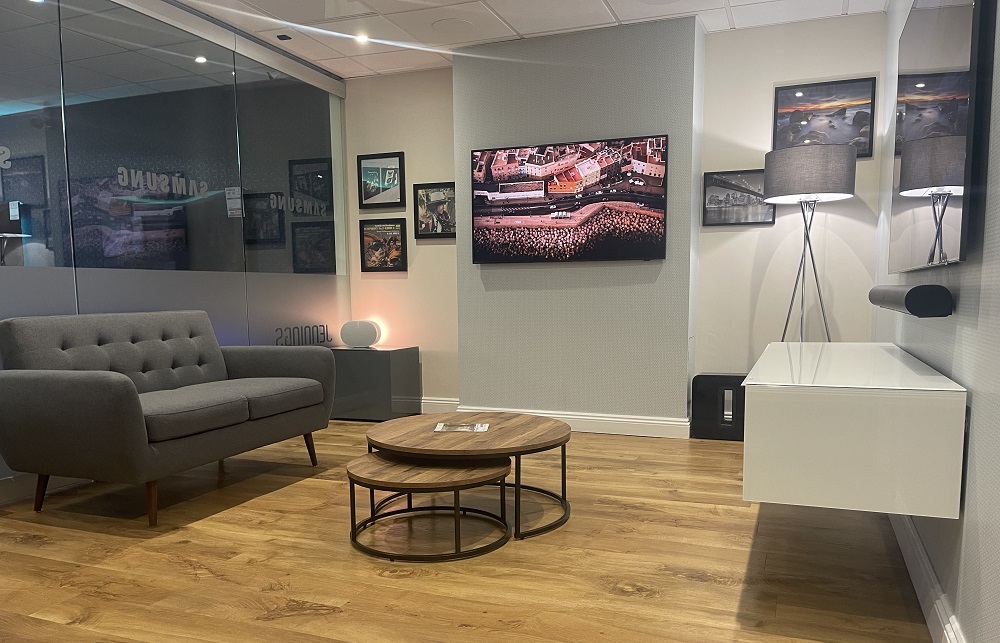
Hearing is believing!
Do you need to add a Sonos Sub and if you do which one? Maybe you need surround speaker?
Hearing the difference is the only way forward. We have these systems on demo ready for action - only your ears will know as this is a person decision.
If you know which products are your preferred combination then we can configure this for you instore so it's ready for when you arrive. Just let us know in advance and when you plan on visiting and we'll do the rest.

Pro Installation Service
Don't forget our proffesional installation service is available for Sonos soundbars. We'll ensure your product is connected correctly and working to it's best with your TV and other equipment.
We can also wall mount Sonos soundbars and run the cabling either in the wall or on the surface discretely within slim trunking.